WFM Shift Builder · Shipped · 2023
Building shifts without building spreadsheets.
I helped move a complex workforce-planning task into the product, giving managers a visual way to create shifts, define activity windows and reuse patterns.
- Context
- Managers created shift structures outside Workforce Management and brought them in through Excel imports.
- Product
- Puzzel Workforce Management (WFM)
- My role
- UX designer
- Team
- Product, engineering, across five countries
- Year
- 2023
- Platform
- Web application
- Stage
- Growth stage: Established
Impact
- Shift creation moved from spreadsheet imports into the product.
- Completed shifts can be reused through patterns instead of recreated for each day.
Workforce planners decide who works when, to the quarter hour
A contact centre needs the right number of agents available at every point of the day. Workforce management software helps planners forecast demand, build schedules and check that agents keep to them.
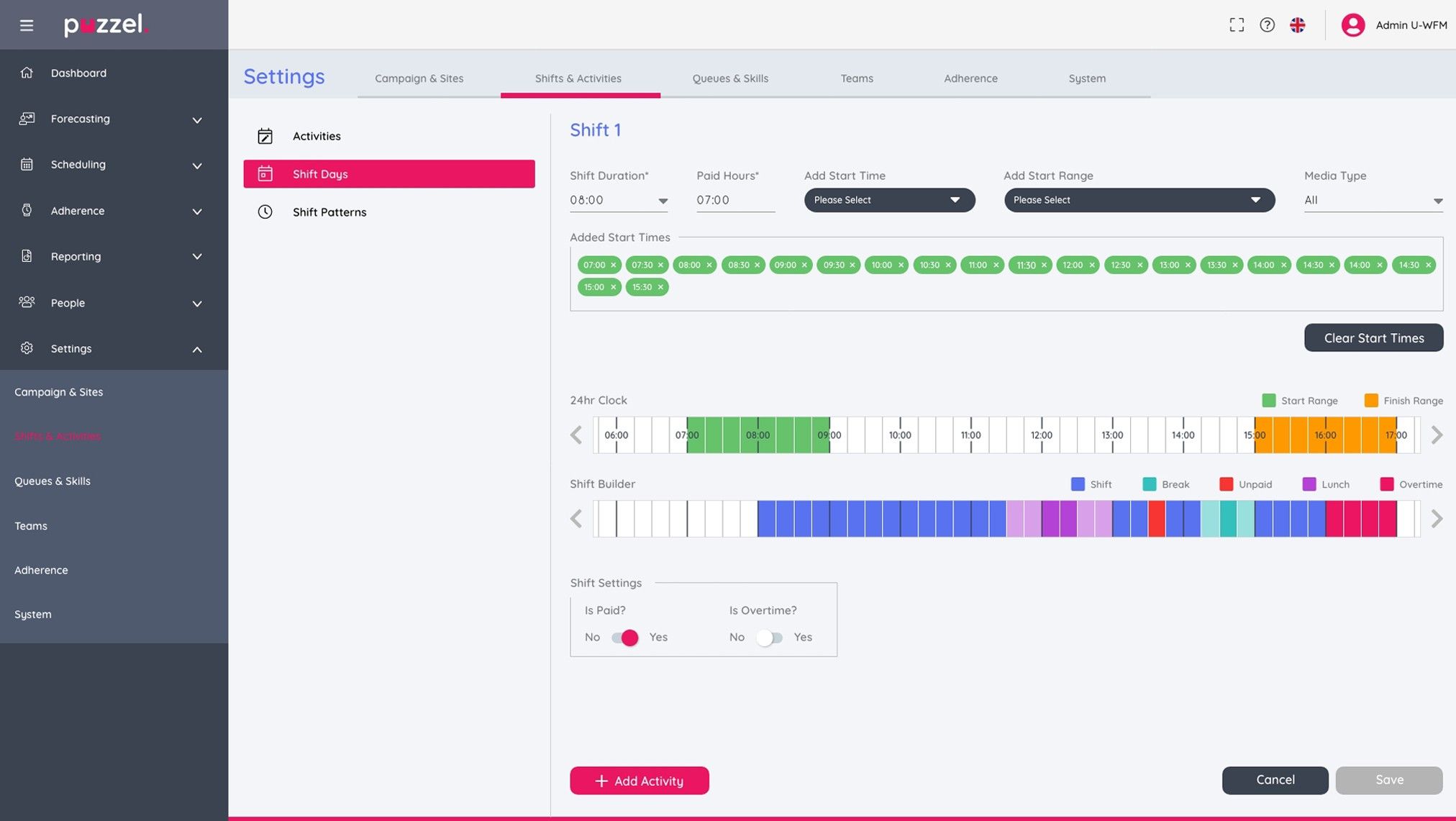
A shift is more than a start and finish time. It has paid hours, several valid start times and a sequence of activities, such as breaks, lunch, unpaid time and overtime, some of which can move within a window.
A routine planning task lived outside the product
Workforce Management already handled forecasting, scheduling and adherence. But managers still built shift structures elsewhere and imported them from Excel.
Replacing the spreadsheet with a form wouldn't have been enough. A useful shift builder had to express duration, paid hours, multiple valid start times, flexible activity windows and a sequence of different activity types, and still be understandable enough to use again and again.
I interviewed stakeholders and users, reviewed the spreadsheet-led journey and worked with product and engineering colleagues in five countries, bringing developers in early enough to challenge feasibility while the interaction was still forming.
Key decisions
Shifts start at any time of day, not just the morning
- Options considered
- Support the morning start times the team first assumed, or the full 24 hours.
- Constraint
- Research showed users needed start times throughout the day, commonly in 15-minute intervals.
- What I chose and why
- A clock spanning the full 24 hours, with 15-minute increments and start and finish ranges shown on it.
- What I gave up
- A compact clock. Covering the whole day means the timeline scrolls, so only part of it is visible at once.

Breaks need a window, not a timestamp
- Options considered
- Give each activity one fixed start time, or an earliest start and latest finish.
- Constraint
- Breaks and lunch often needed an earliest valid start and a latest valid finish, so the interface had to show a window as well as a time.
- What I chose and why
- Colour tints show where an activity may begin and end, separately from the activity placed in the shift.
- What I gave up
- Some simplicity. Each activity now carries two ideas, where it sits and where it may move, and the tints add colour to an already colourful timeline.

Dragging can't be the only way to set a time
- Options considered
- Direct manipulation on the timeline, explicit fields, or both.
- Constraint
- Planners rely on precision, and the feature had to work with a keyboard and within the existing design system.
- What I chose and why
- The timeline supports mouse-led adjustment, while explicit values and visible controls keep it accurate and usable without dragging.
- What I gave up
- One simple way to set a time. Keeping both meant designing and testing two routes that always had to agree.

One timeline. Several kinds of time.
The central workspace makes the working day visible as it's assembled. It separates the shift itself from breaks, lunch, unpaid activity and overtime, while range indicators show where flexible activities may occur.
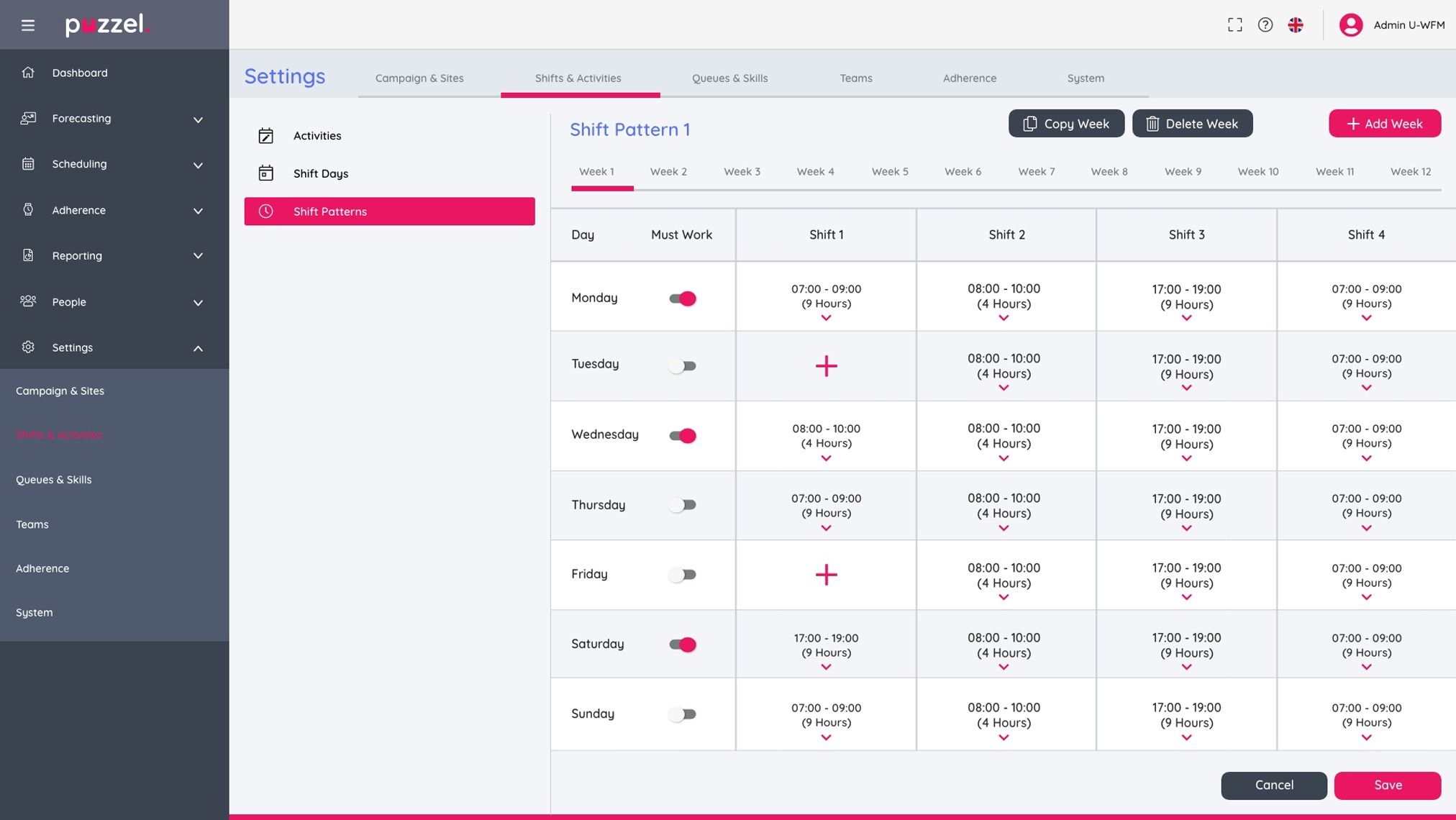
Completed shifts can then be assembled into patterns rather than recreated for each working day, and a pattern can be applied consistently.
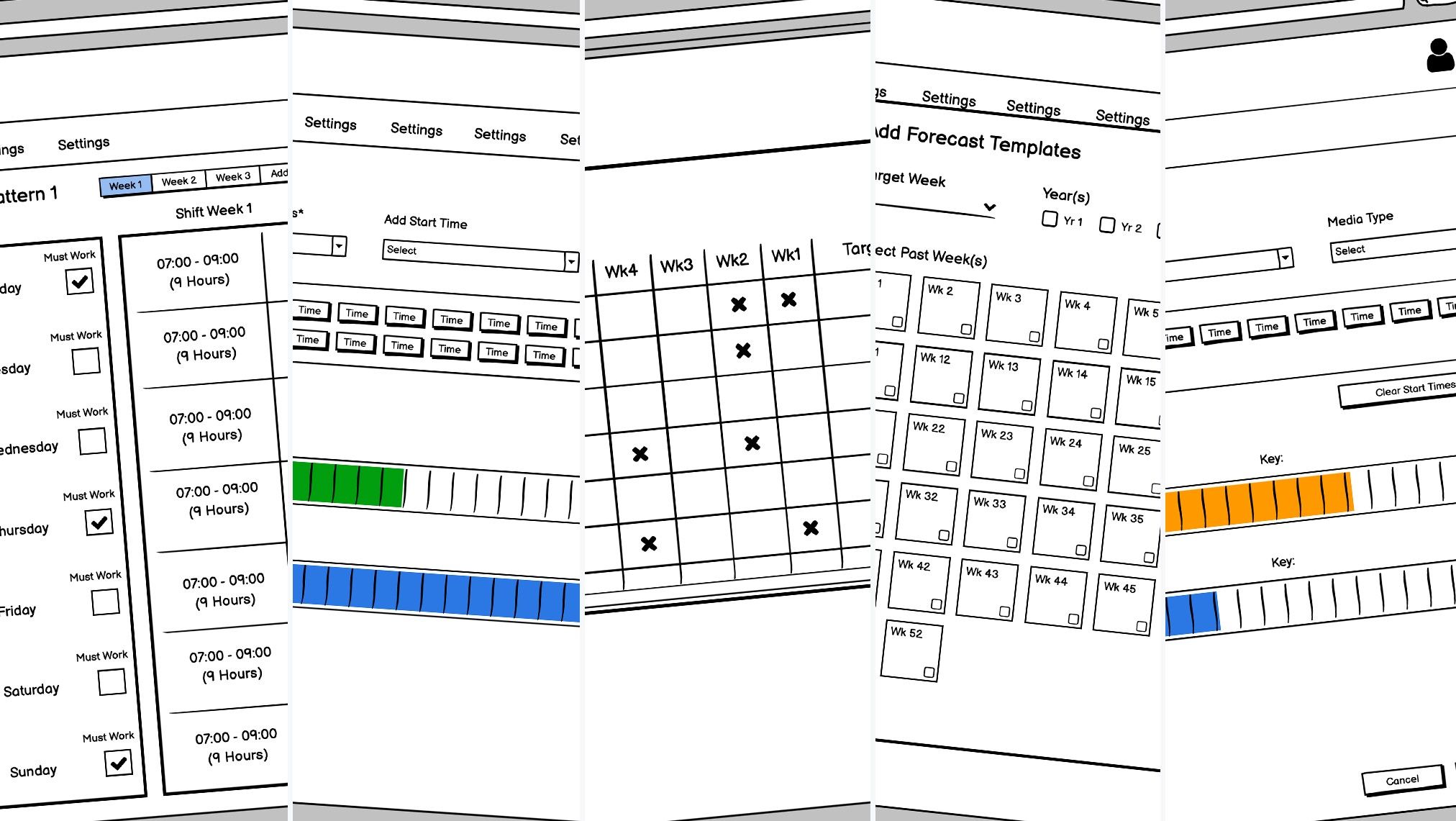
I tested the model with low-fidelity concepts and a high-fidelity prototype before development, then tested the implemented experience with a small group of users and shared a structured testing script with the wider product team.
The workflow shipped; the numbers weren't kept
Managers could create shifts, define start options, add timed activities and reuse the result through shift patterns, instead of relying only on spreadsheet imports. Testing caught pain points before release.
At a point when UX practice was still new inside the company, involving users throughout helped show the value of testing before launch.
Why there are no hard numbers
The project record reports good feedback after launch, but no participant counts, task metrics or adoption data, so I don't quote any.
The timeline mattered less than finding what it had to express
The interaction only became useful once the team stopped treating a shift as a simple start and finish time. Research exposed the ranges, exceptions and reusable structures underneath the task.
If I revisited it, I'd keep clearer evidence: participant numbers, task success, time on task and post-launch adoption.