Navigation System · Shipped · 2022
One navigation system. Many versions of the product.
I redesigned a crowded admin menu around administrators' real journeys, while accounting for the permissions and purchased modules that made every account different.
- Context
- A crowded two-row admin menu, where permissions and purchased modules made the navigation different for every account.
- Product
- Puzzel Contact Centre Admin
- My role
- UX designer
- Team
- Product, engineering
- Year
- 2022
- Platform
- Web application
- Stage
- Growth stage: Established
Impact
- Shipped as a collapsible sidebar with temporary submenus.
- Four design changes came directly from five task-based usability sessions.
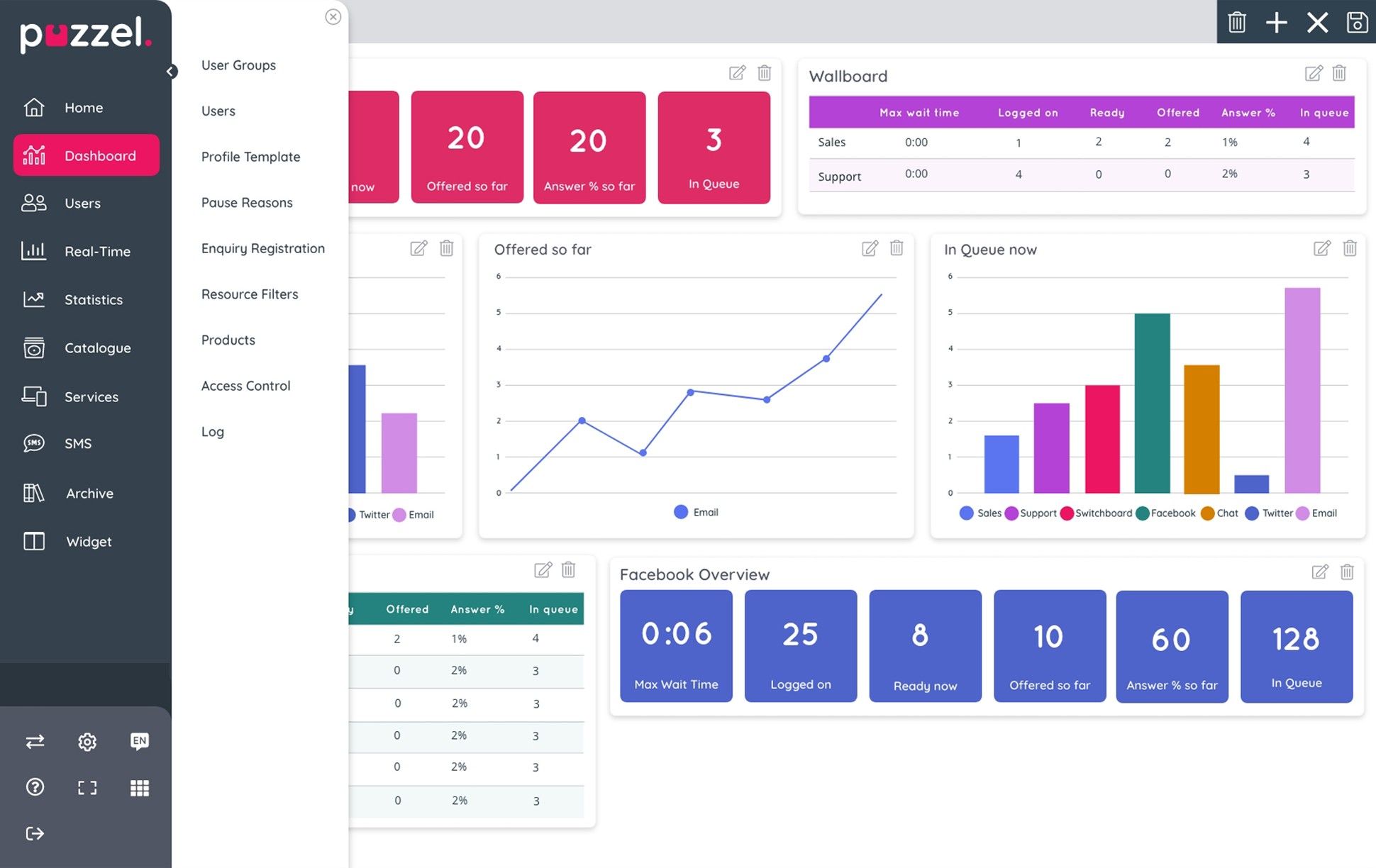
Administrators keep a contact centre running behind the scenes
A contact centre is the team that answers a company's calls, chats and messages. Agents handle the conversations; administrators set up everything around them.
Admin is where those administrators manage users, permissions, call flows and a broad collection of operational settings. What each of them sees depends on two things: the permissions their account has, and the modules their company has bought. So no two customers see quite the same menu.
The menu reflected how the product was built, not how administrators worked
The navigation had grown alongside the product, with no UX work behind it: a horizontal menu with a second row permanently visible beneath it.
That cost three things. It took space from dashboards and operational content before the page even began. It got crowded for customers with many modules. And users had to load a new page just to see another section's submenu.
Interviews, surveys and observed tasks added a fourth: administrators had recognisable routines, but the hierarchy had never been organised around them. Every menu could differ, so whatever I designed had to stay clear as destinations appeared and disappeared.

Key decisions
A submenu that pushes the page around feels like an interruption
- Options considered
- Resize the content area whenever the submenu opens, or lay the submenu over the content for a moment.
- Constraint
- In testing, resizing the content each time a submenu opened felt disruptive.
- What I chose and why
- A temporary overlay. When the submenu is open, the user is already choosing where to go next, so covering the content briefly costs little.
- What I gave up
- The content behind the submenu is hidden while it's open.
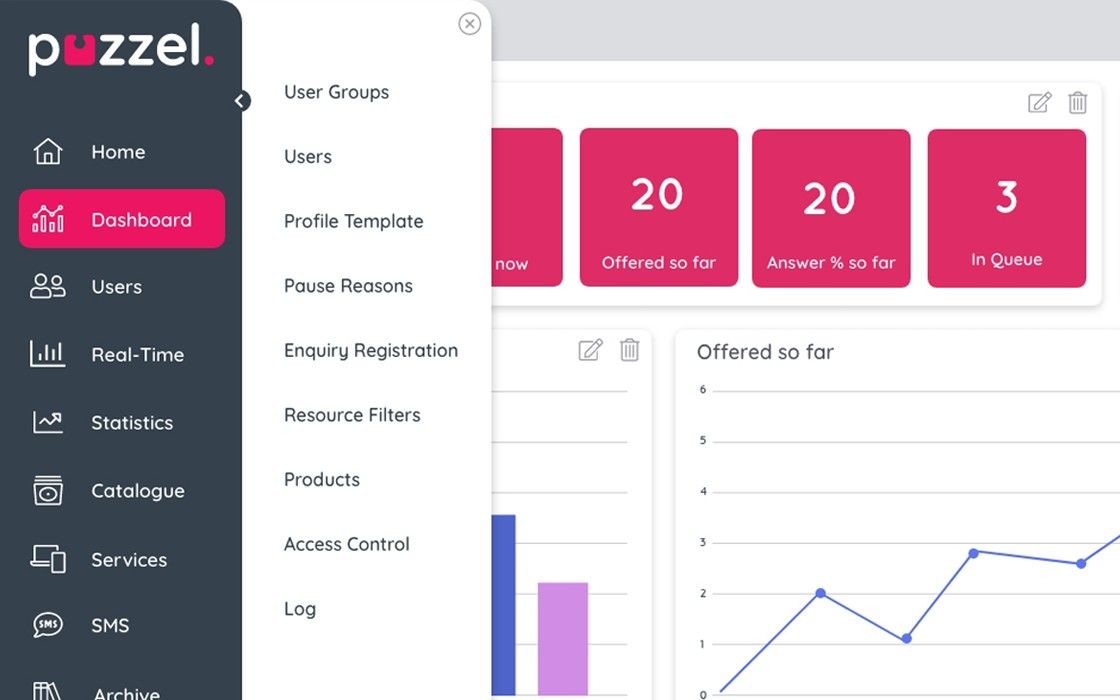
Collapsing the rail mustn't hide what people use most
- Options considered
- Show only navigation icons in the collapsed rail, or keep some utilities there too.
- Constraint
- The collapsed rail first hid frequently used actions, and it has very little space.
- What I chose and why
- Promote the customer switcher, help and log out into the collapsed rail's visible space.
- What I gave up
- Settings, language, full screen and the app grid are only in the expanded rail.

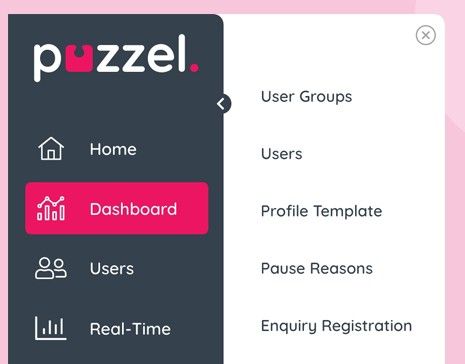
An arrow read as "back", so it became a close
- Options considered
- Close the submenu with an arrow, or with a close icon.
- Constraint
- The arrow looked like browser-style back navigation.
- What I chose and why
- A familiar close icon, which removed the ambiguity.
- What I gave up
- The arrow's hint that the panel slides back into the rail.
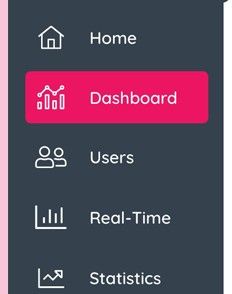
A hover state some users couldn't see wasn't a state at all
- Options considered
- Keep the original grey hover, or use a stronger colour.
- Constraint
- The grey hover lacked enough contrast for some users.
- What I chose and why
- A stronger branded colour, so the state is easier to perceive.
- What I gave up
- A quieter rail. The brand colour now appears on every hover, not just the selected item.
Context when it matters. Space when it doesn't.
The main rail holds the product's top-level structure. A temporary second panel reveals the selected area's pages without a page change, and a collapsed state keeps essential destinations and quick actions within reach. Users can also hide the rail entirely for wallboard use.
I moved the chosen direction into a high-fidelity working prototype, so stakeholders and users could experience the navigation rather than infer it from static screens.
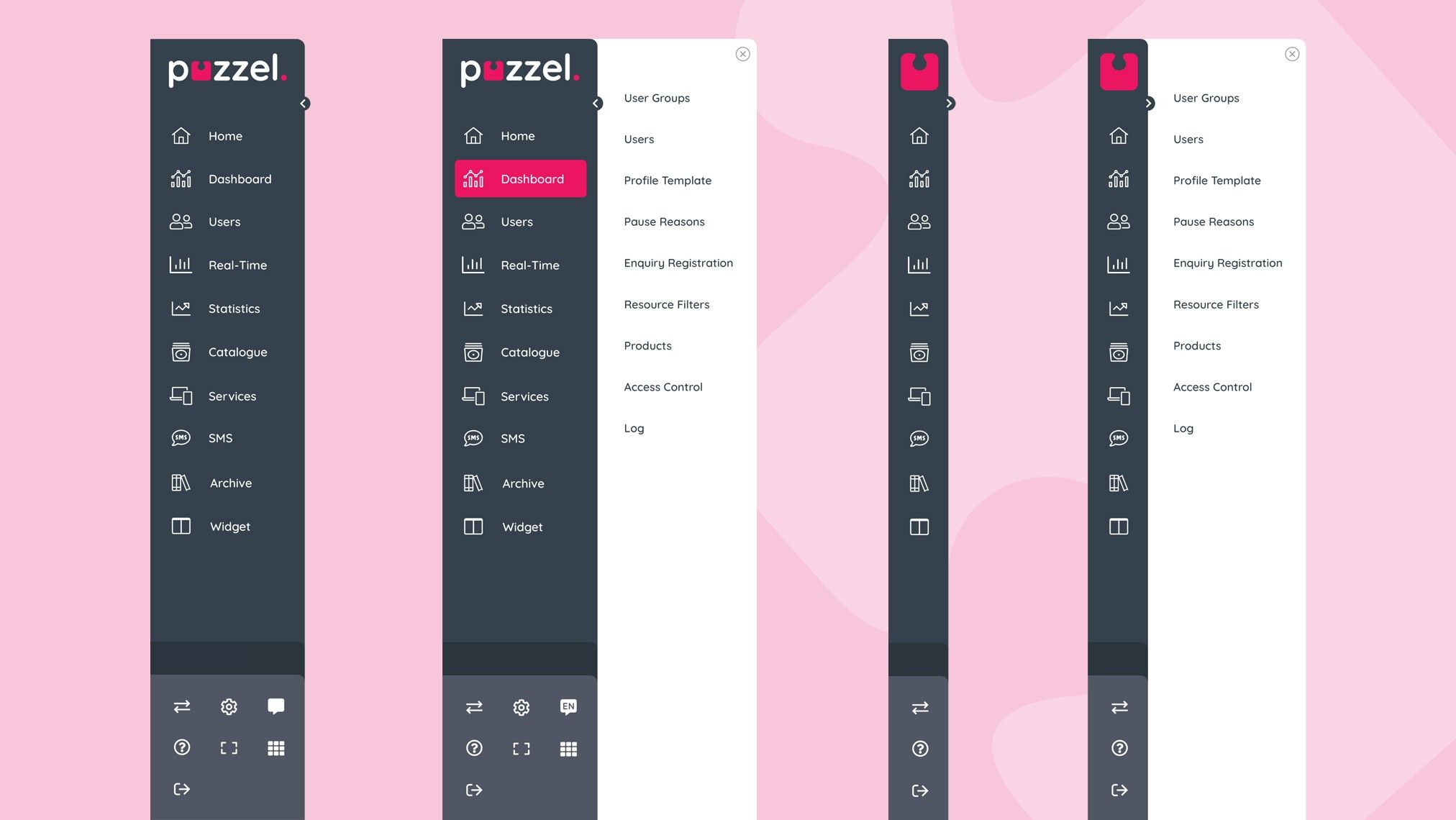
Try it. Open a section to see its pages, then collapse the rail.
Five sessions and four traceable changes, but no usage data
The menu moved from two permanent horizontal rows to a sidebar with temporary disclosure, collapsed and full-screen states, and it shipped. Users could inspect submenus without changing page, follow a hierarchy grounded in their routines and reclaim content space when they needed it.
The evidence that survives is qualitative: five task-based usability sessions and the four design changes they produced.
Why there are no hard numbers
Adoption and task-time analytics weren't kept in the project record, so I don't quote any.
Next time I'd measure the baseline before changing anything
The durable part of this project was the link between evidence and interaction: variable permissions demanded scalability, real journeys shaped the hierarchy and testing changed specific behaviours before release.
I'd now set a baseline and a post-launch measure: task success, navigation time, use of the collapsed state and support feedback.